Stickdeck
Where does glycolysis happen? p. 1
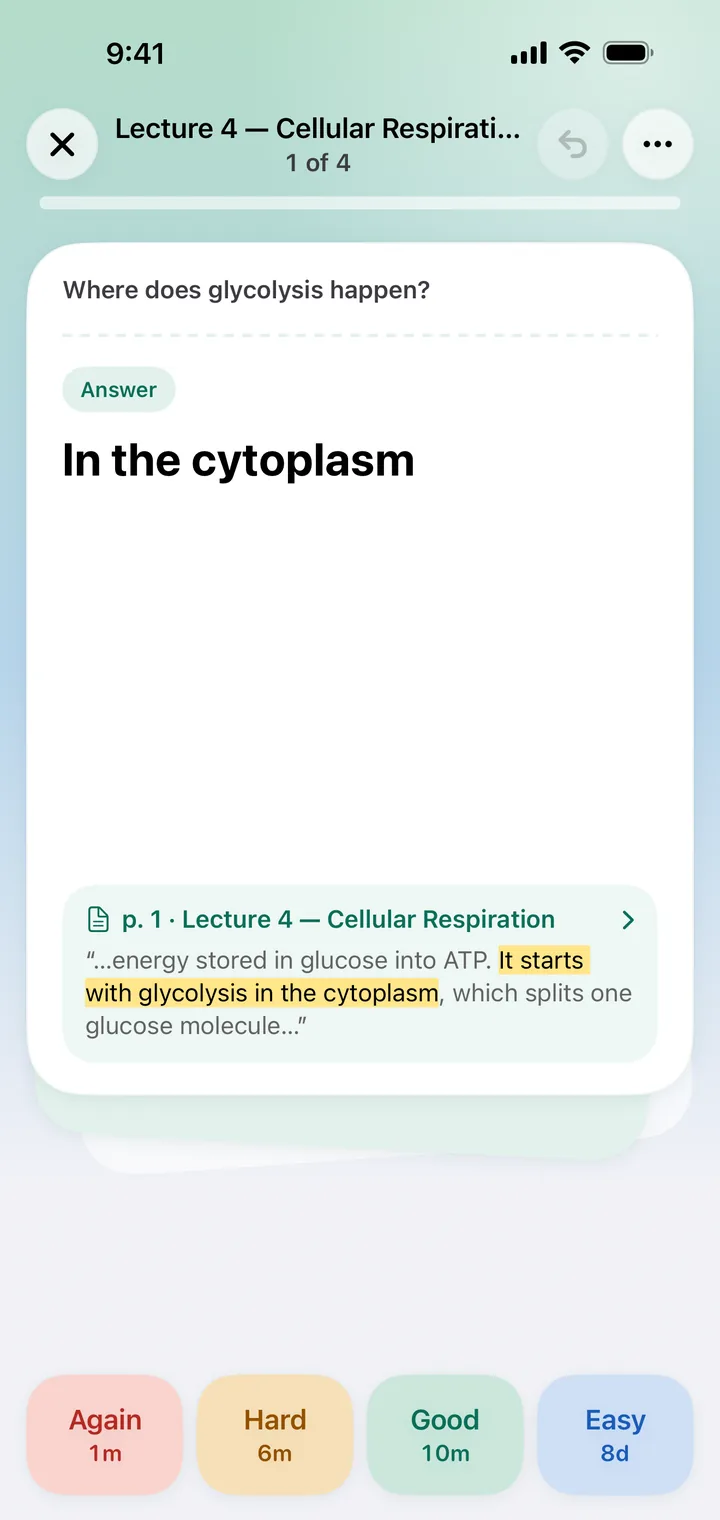
Answer: in the cytoplasm. Open the card's page and Stickdeck highlights the words it came from: “It starts with glycolysis in the cytoplasm”.
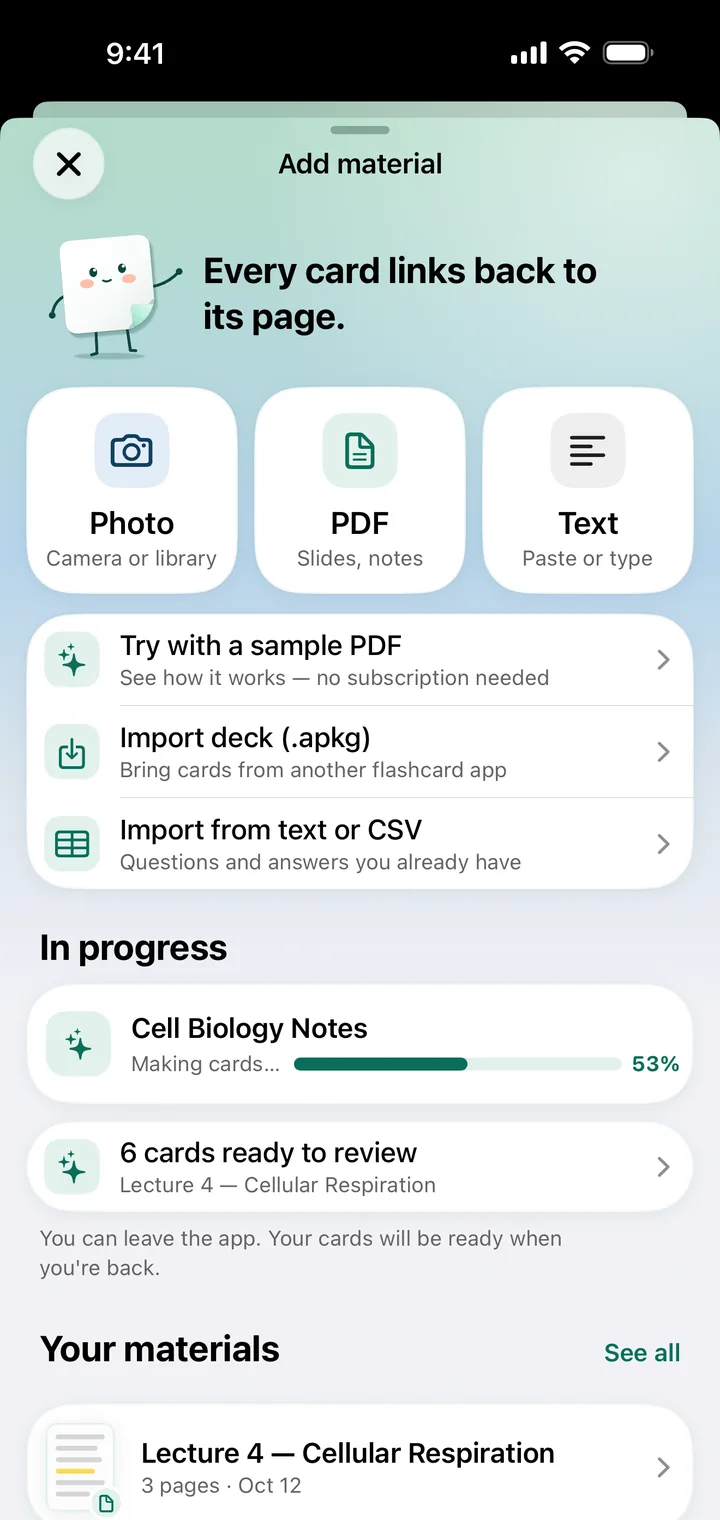
Stickdeck is an iPhone app, not a web converter. Pick pages of a PDF and AI writes question-and-answer flashcards, each linked to its page.

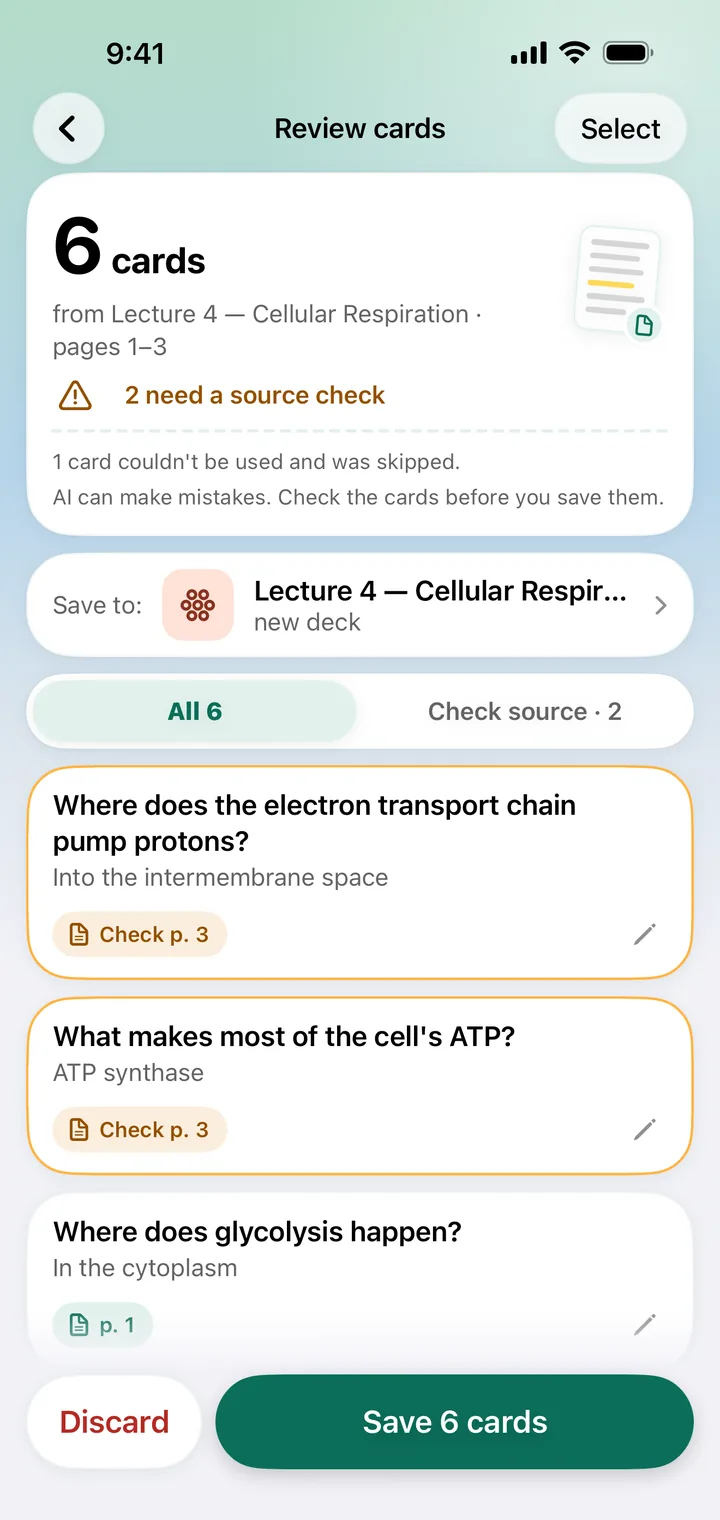
An example from Stickdeck's screenshots, made with demo content: a lecture PDF on cellular respiration and demo cards for it, not live AI output. Page 1 of the PDF reads: “Cellular respiration turns the energy stored in glucose into ATP. It starts with glycolysis in the cytoplasm, which splits one glucose molecule into two molecules of pyruvate.” Below are three of the six cards on the Review cards screen. This lecture isn't in the app; to see how cards are made there, open its sample PDF, “How memory works”.
Answer: in the cytoplasm. Open the card's page and Stickdeck highlights the words it came from: “It starts with glycolysis in the cytoplasm”.
Answer: into the intermembrane space. In this demo, “Check p. 3” marks a card to check against its page: Stickdeck flags cards whose quote it couldn't find in your PDF, so you compare before you save them.
Answer: ATP synthase. Flagged the same way. AI can make mistakes, so check the cards, edit or delete any, then save.
You make the cards in the Stickdeck app on your iPhone, not on this website: there's nothing to upload here.
Tap PDF in Add material and choose the file. Pick the pages you need: a textbook chapter, a set of lecture slides, a few pages of notes.
Before your first AI cards, Stickdeck shows exactly what it sends and asks for your OK. Only the pages you picked are sent.
AI writes question-and-answer cards, each linked to its page. Edit or delete any, then save. Cards whose quote Stickdeck couldn't find in your PDF are flagged so you check them first.
Rate each card Again, Hard, Good or Easy, and Stickdeck shows it again right before you'd forget. Not sure about an answer? Tap its page number.
Each AI card from a PDF keeps the page it came from. On the iPhone where you added the PDF, one tap opens that page, with the sentence highlighted when Stickdeck finds it.
AI can make mistakes, so new cards wait for your review. Edit or delete any: nothing goes into your decks until you save.
Your PDF stays on your iPhone. To make cards, the app sends the text of the pages you picked, and a reduced picture of pages with little readable text. Your original PDF and its name never leave your iPhone.
In Stickdeck, add the PDF and pick the pages you need. AI writes question-and-answer cards from those pages, each linked to the page it came from. You check them, edit or delete any, and save them to a deck. Stickdeck is an iPhone app, not a website, so there's nothing to upload here.
No. There's no account and no sign-up. Your decks are stored on your iPhone and, if iCloud is on, in your own private iCloud.
No. AI can make mistakes. That's why every card links back to its page and you review new cards before saving them. On the review screen, cards whose quote Stickdeck couldn't find in your PDF are flagged so you check them first.
Yes, if they're a PDF: pick the chapter or the pages you need. For a page with little readable text, such as a slide that is mostly a picture, the app sends a reduced picture of it. For a printed book, photograph the page instead.
Nothing is sent until you agree, and then only the pages you choose: their text, and a reduced picture of pages with little readable text. The original PDF and its name aren't sent. Our server doesn't store the pages; it passes them to OpenAI, which writes the cards and doesn't use them to train its models.
No. Stickdeck is made for iPhone and needs iOS 18 or later. There's no web, Mac, iPad or Android version.
For iPhone with iOS 18 or later. No account needed.