
Widgets
Home Screen widgets show how many cards are due today and your streak, or a card of the day to answer in your head. Lock Screen widgets show your count, never your card text.
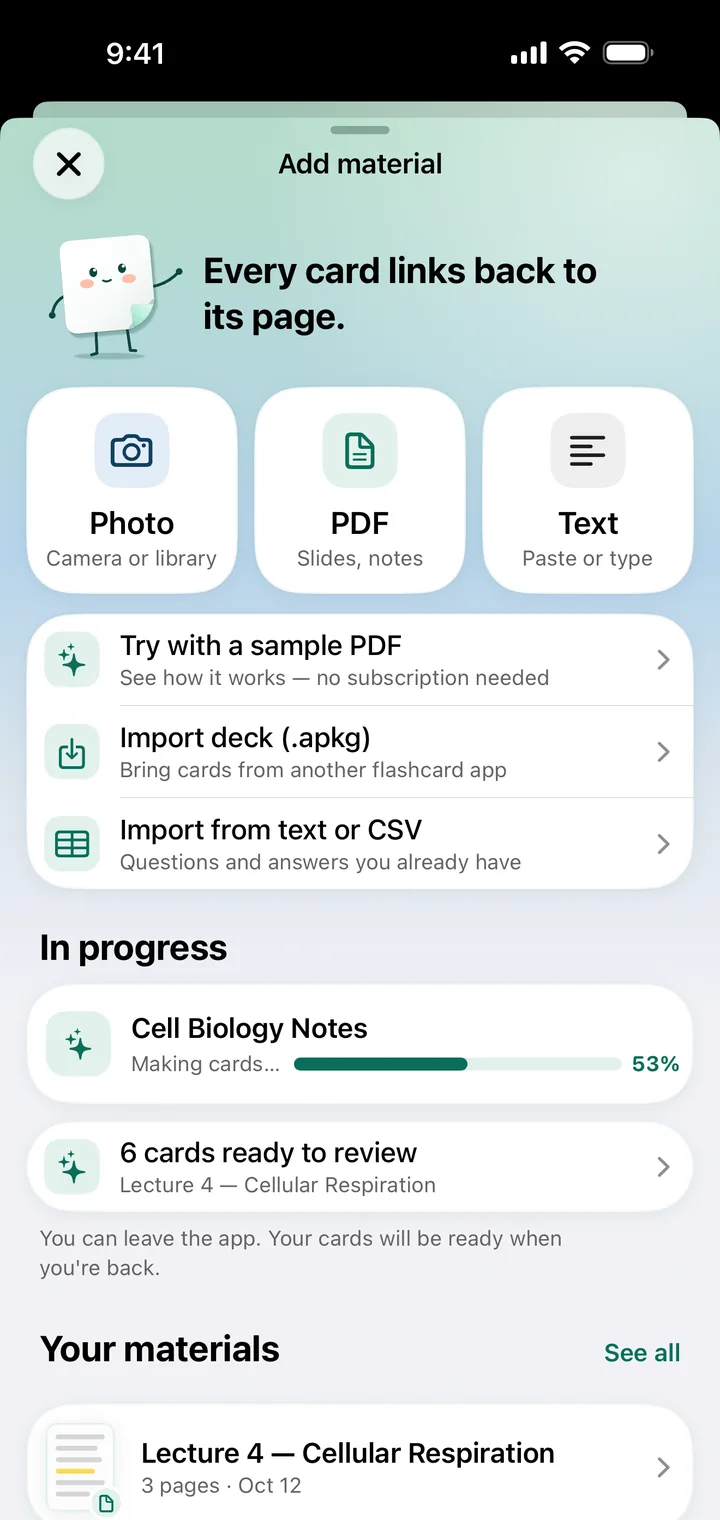
Stickdeck is a flashcard app for iPhone. Add a PDF, a photo or pasted notes. Check the cards before you save them.

For anyone who's learning something: a course, a certification, a new job, or just a book you want to remember.
A PDF, a photo or scan of your notes, or pasted text. Pick the pages you need.
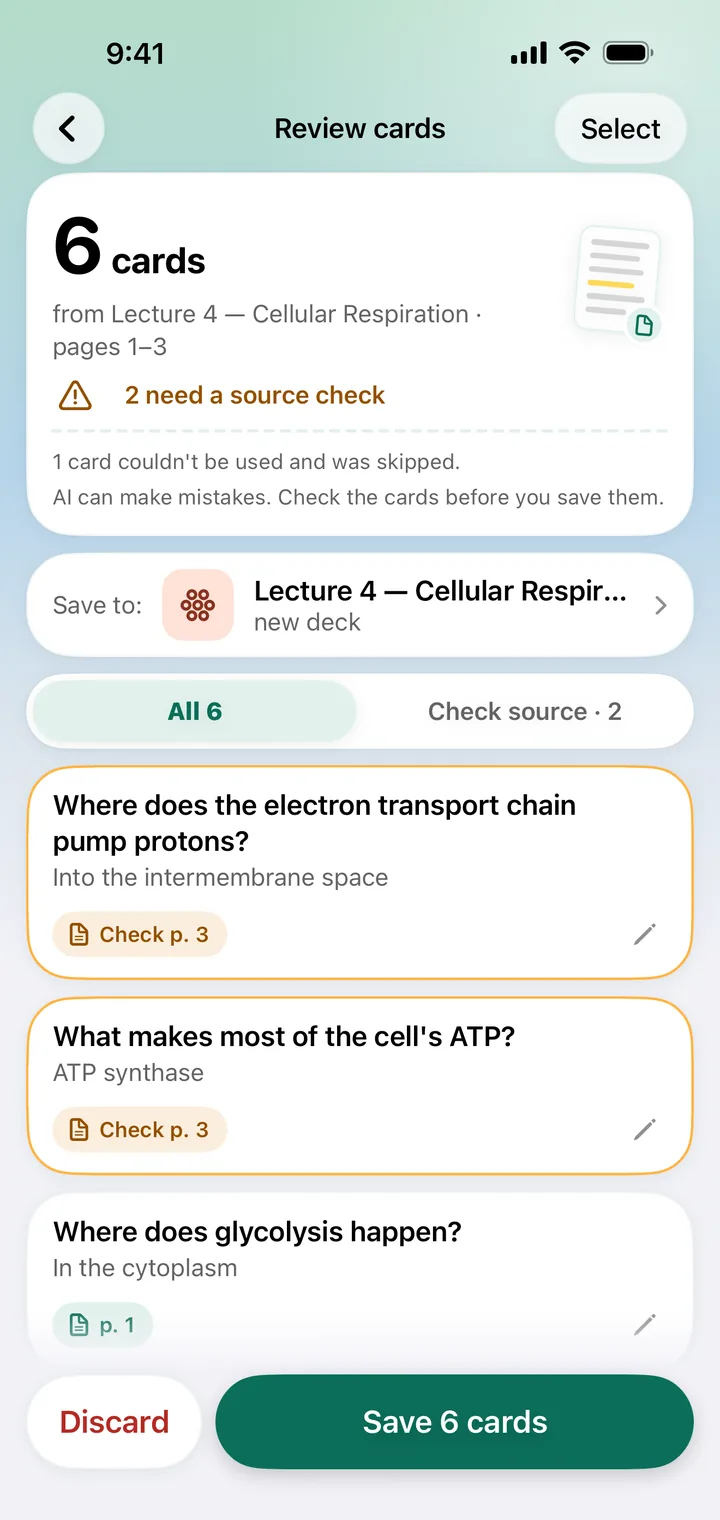
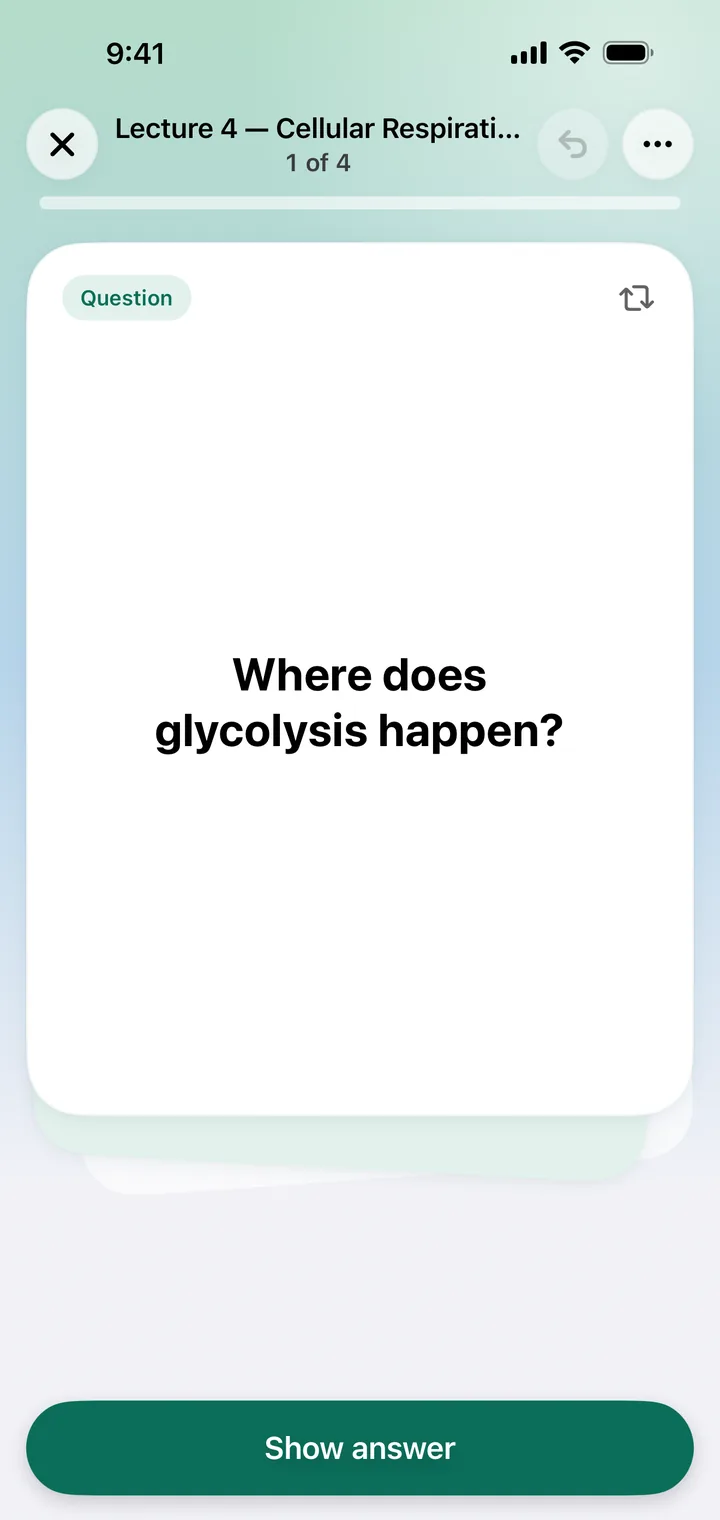
AI writes question-and-answer cards; cards from a PDF or photo link to their page. Check them, fix any, save.
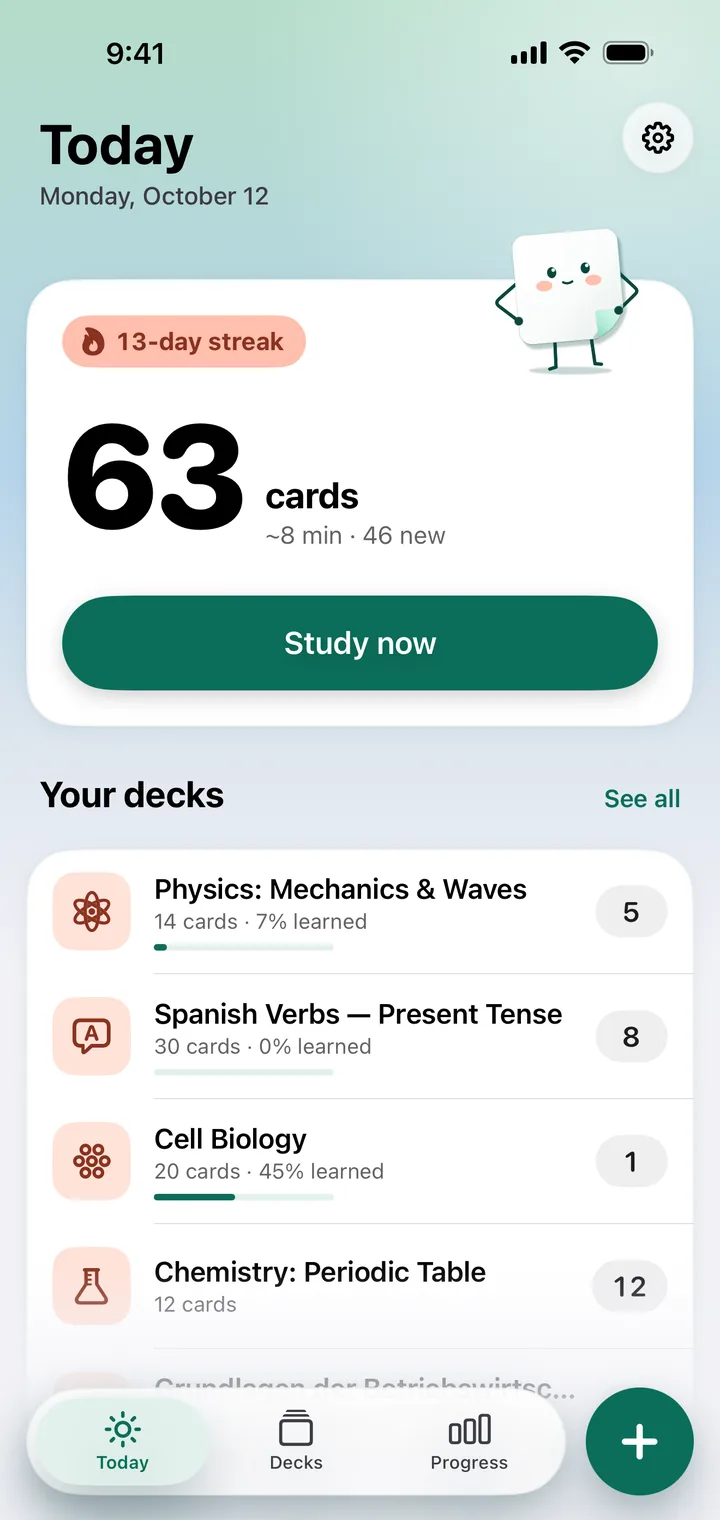
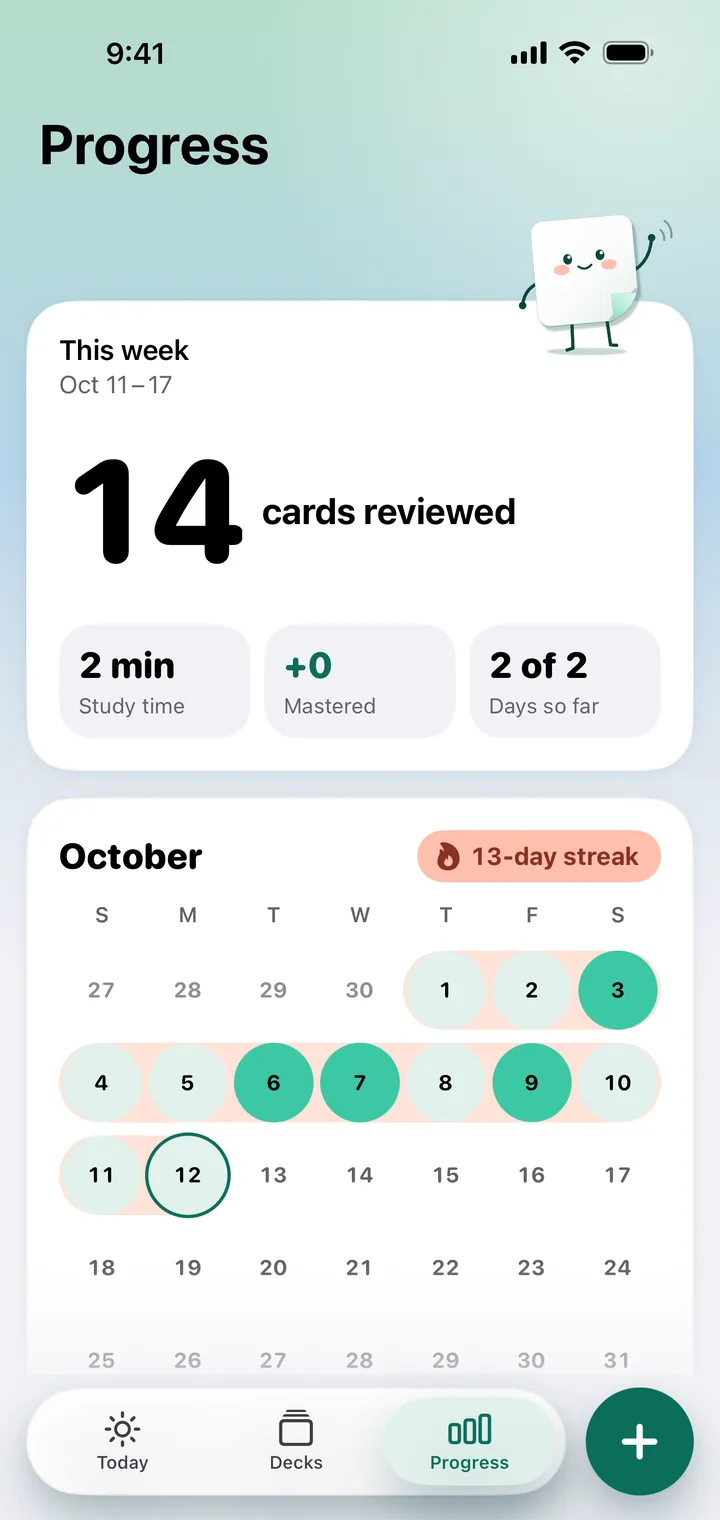
Stickdeck shows each card right before you'd forget it, and tells you what's due today.
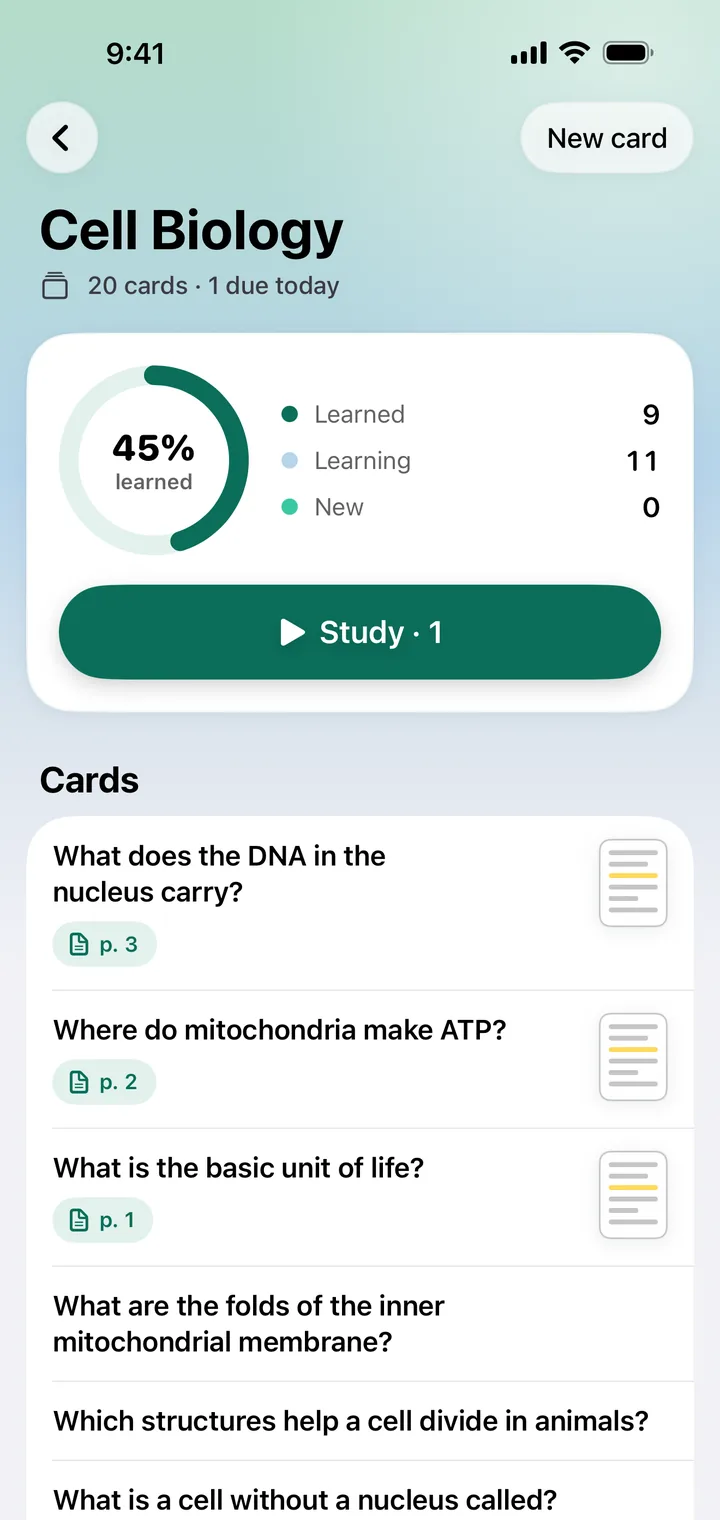
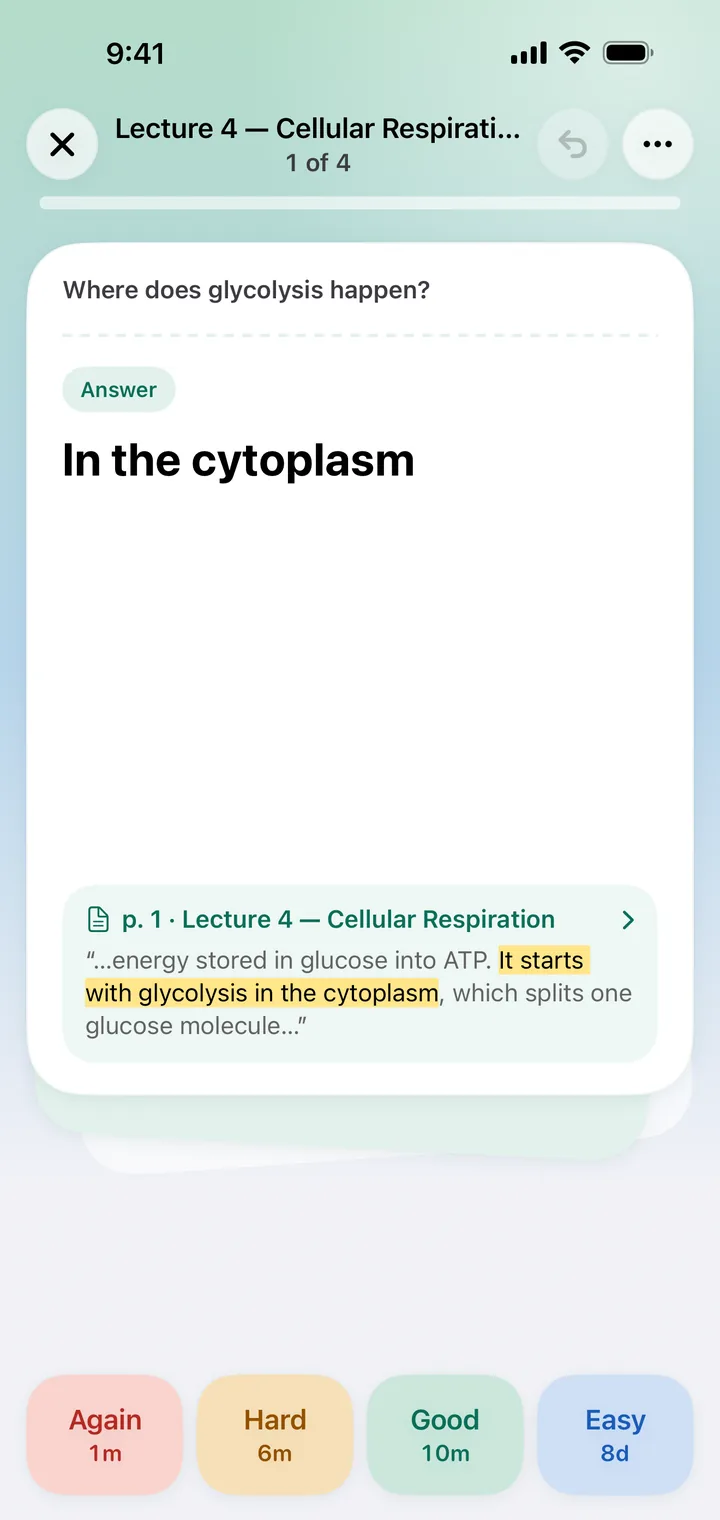
Made a card from a PDF or photo? Tap its page number to open the original page. Stickdeck highlights the words when it finds them.
Add a PDF and choose the pages, scan or photograph your notes, or paste text. AI drafts question-and-answer cards. You check them, edit or delete any, and save: nothing goes into your decks until you say so. AI can make mistakes, so Stickdeck flags the cards it couldn't match to your source.
Rate each card Again, Hard, Good or Easy, and Stickdeck works out when you should see it next. Open the app and Today shows exactly what's due, plus your streak and a daily reminder at the time you pick.
Set an exam date for your deck. Open Progress to see how ready you are and check the countdown as the exam gets closer.
Home Screen widgets show how many cards are due today and your streak, or a card of the day to answer in your head. Lock Screen widgets show your count, never your card text.
Decks, cards and progress are kept on your iPhone and in your own private iCloud. Deleted a deck by mistake? It waits in Recently Deleted for 30 days.
Import a deck file (.apkg) from another flashcard app, with its fill-in-the-blank cards and pictures, or import questions and answers from text or a CSV file.
Pick a starter deck or try the sample PDF to see how the cards work.
x², H₂O and a/b show as clean text, not code.
Study and edit without a connection. Only AI card-making needs the internet.
Before your first AI cards, Stickdeck shows exactly what it sends and asks for your OK. You can withdraw it anytime in Settings › Privacy › AI data sharing.
The app sends the text of the pages you picked, and a reduced picture of pages with little readable text, with location and other photo data removed. Your original file and its name never leave your iPhone.
Your pages go through our server to OpenAI, which writes the cards. OpenAI doesn't use them to train its models.
Our server doesn't store what you send. Finished cards wait there only until your iPhone picks them up, at most 24 hours.
Decks, cards and progress stay on your iPhone and in your own iCloud. We have no copy and no access. No account, no ads, no tracking across apps.
In the EU, EEA and UK we ask before collecting any usage statistics or crash reports. Everywhere else you can turn them off anytime in Settings › Privacy › Share usage data. They never include your cards or material.
Your PDFs and photos stay on your iPhone: they aren't uploaded to our server, synced to iCloud or included in your iPhone backup. When you make AI cards, only the pages you choose are sent: their text, and a reduced picture of pages with little readable text. Our server doesn't store them; it passes them to OpenAI to write the cards. Deleting a material removes it from your iPhone; cards you made from it stay in your decks.
No. There's no account and no public sharing. Your decks are stored on your iPhone and, if iCloud is on, in your own private iCloud. We can't see them. Lock Screen widgets never show card text.
OpenAI's models write the cards, through our own server. The app tells you this before your first generation and sends nothing until you agree. Your material isn't used to train OpenAI's models.
Not always. AI can make mistakes. That's why cards from a PDF or photo link to their source page, and why you review new cards before saving them. Cards Stickdeck couldn't match to your text are marked so you check them first.
Anyone who studies, for school, work or just for themselves. You need to be 16 or older to use Stickdeck.
Stickdeck is made for iPhone and needs iOS 18 or later. There's no iPad, Mac, Android or web version.
Yes. Studying, editing cards, the starter decks and the sample PDF all work without internet. Only making AI cards needs a connection.
Not yet. Your decks are kept on your iPhone and in your own iCloud, so they come back when you reinstall the app or move to a new iPhone with the same Apple Account.
Write to support@stickdeck.com. The address is in the support block right below this list.
Write to us with any question about the app or your data.
Stickdeck turns PDF pages into flashcards and schedules when you review them.
For iPhone with iOS 18 or later. No account needed.