
A daily reminder
Pick a time, and Stickdeck reminds you to review at that time every day.
In this spaced repetition app, you answer a card and tell Stickdeck how it went. It picks when you’ll see that card again.

Open Today and tap Study now. Try to answer the question before you turn the card over.
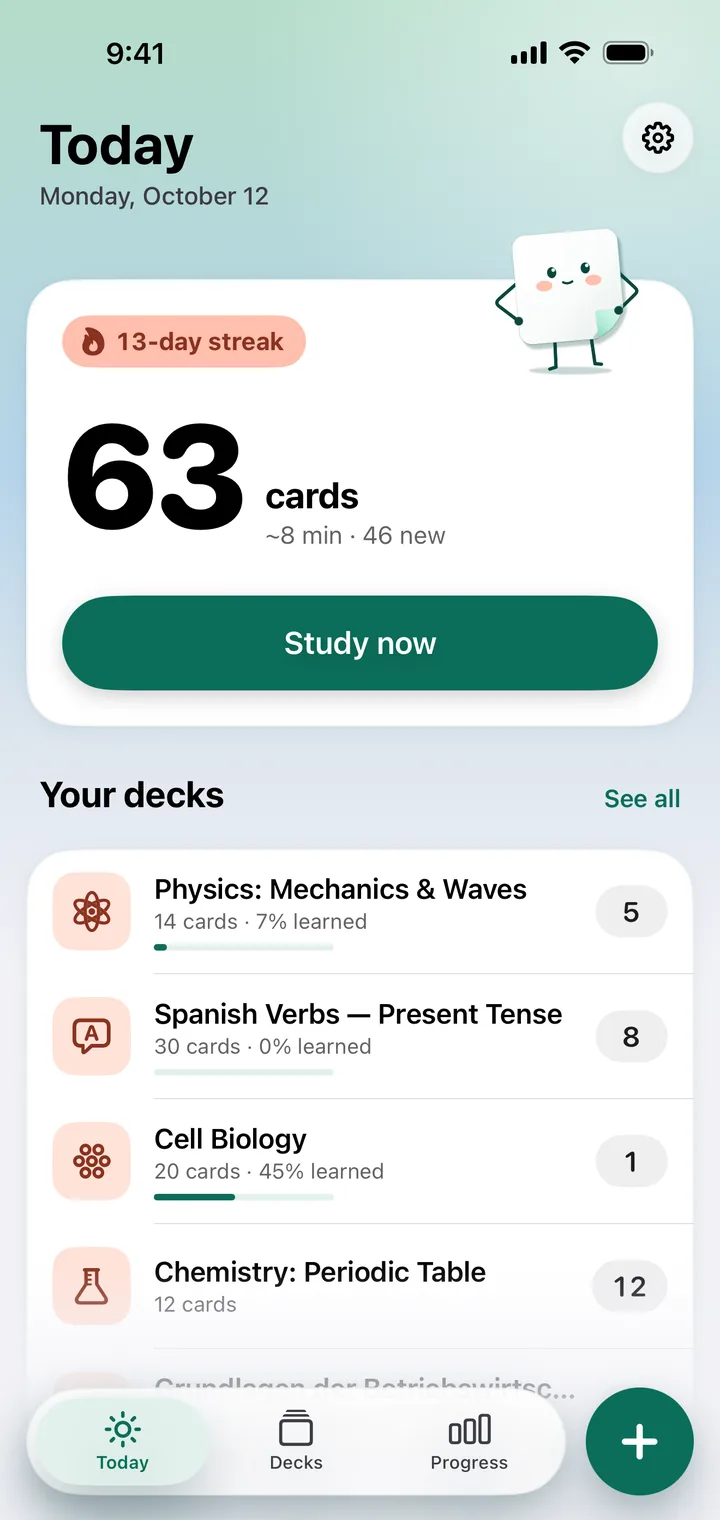
Today shows the cards due, your streak and a Study now button. A daily reminder comes at the time you pick.
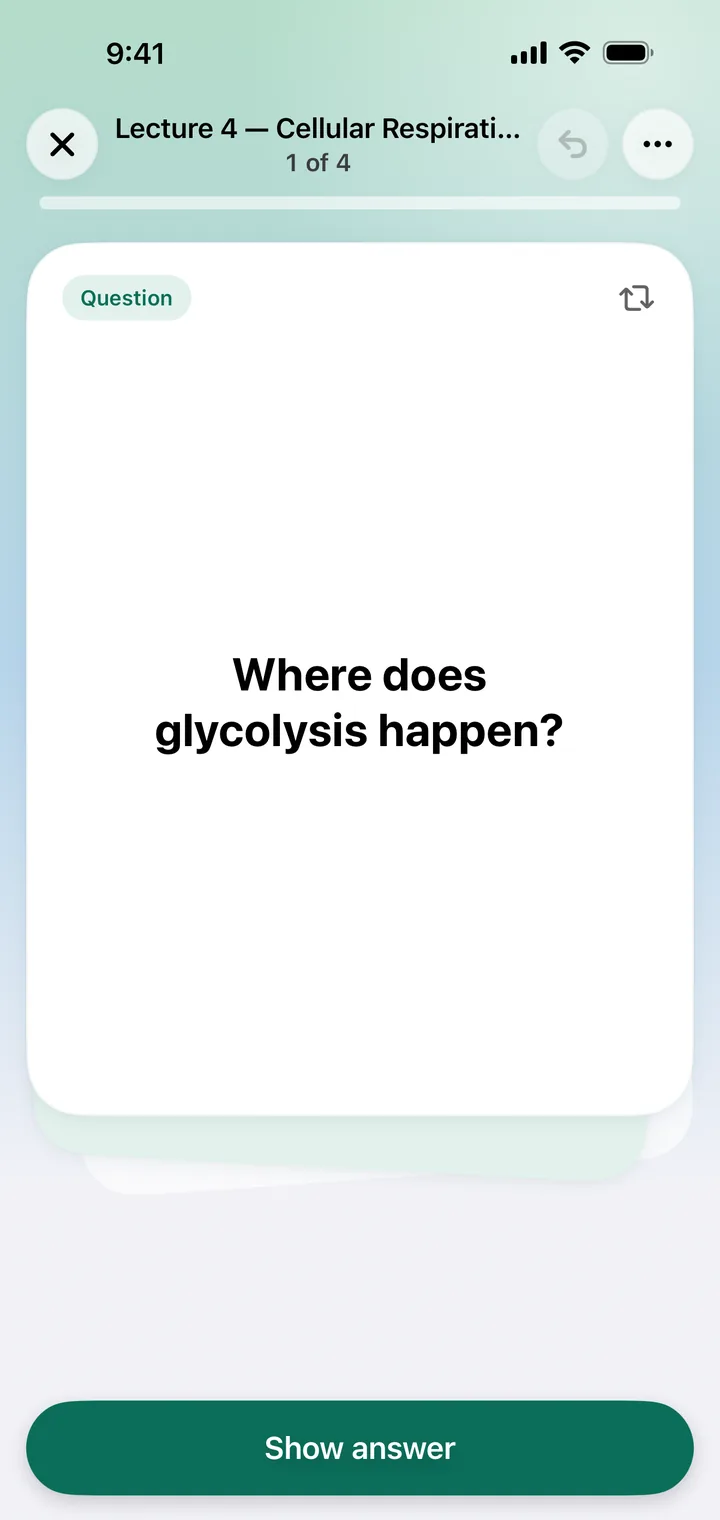
Each card shows the question alone. Answer it in your head, then tap Show answer to check. That's active recall.
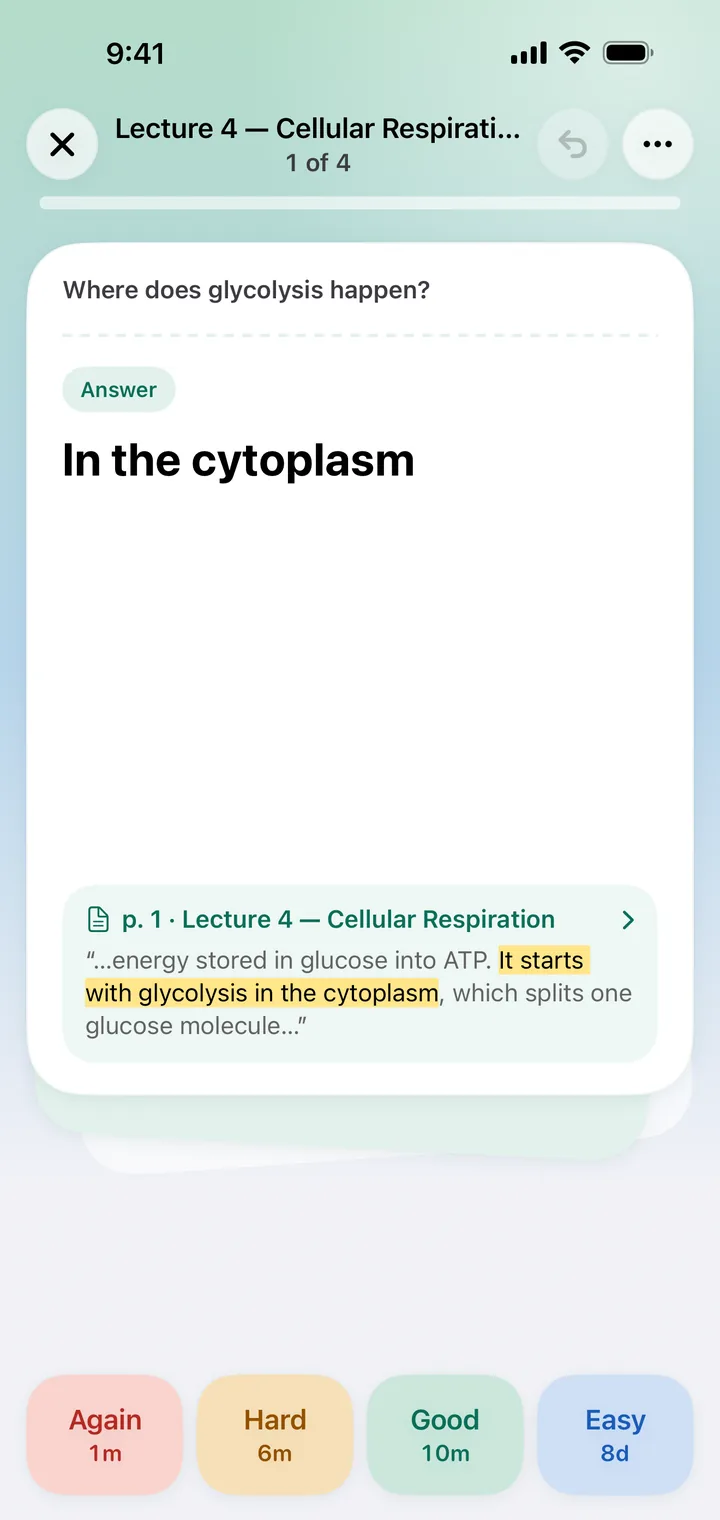
Tap Again, Hard, Good or Easy. Your choice sets the next review.
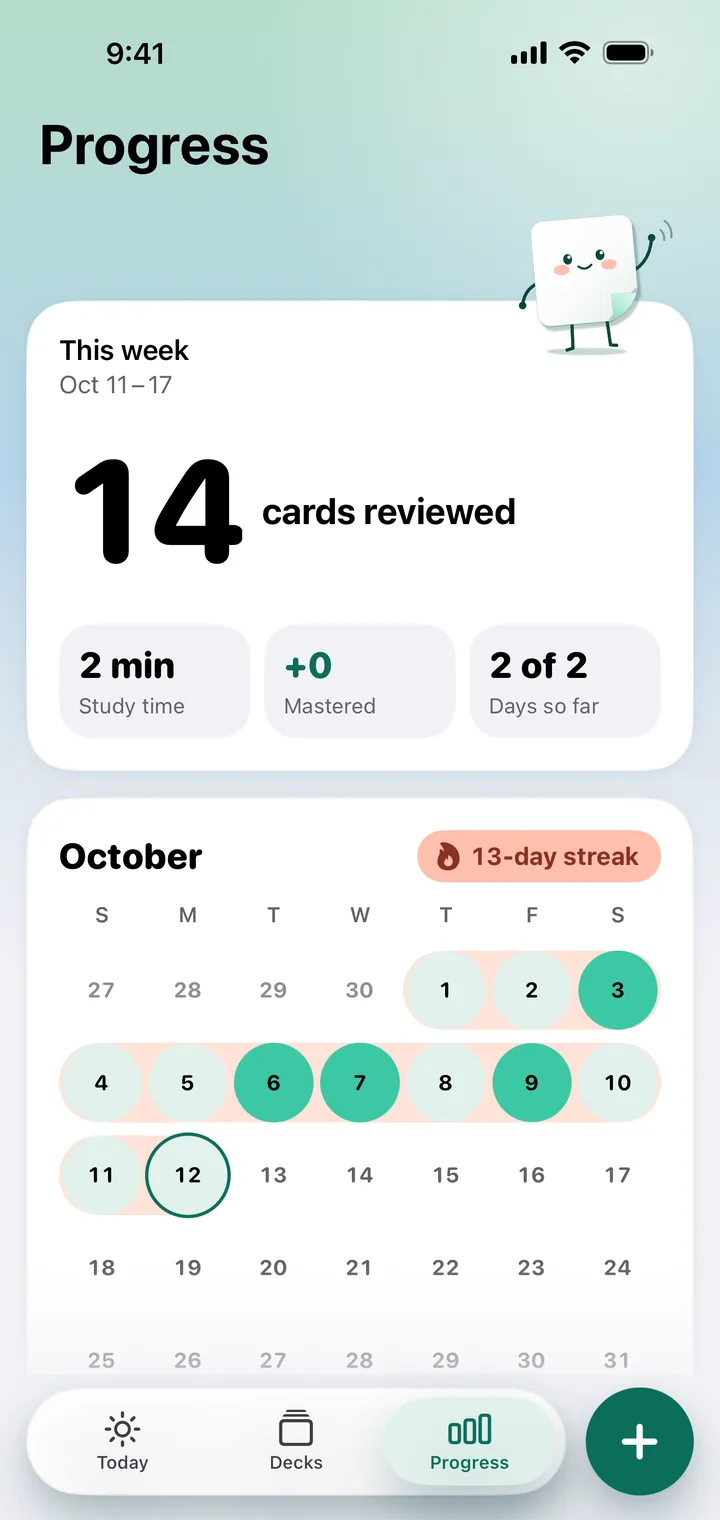
Set an exam date for a deck. Progress shows how ready the deck is and counts down as the exam gets closer.
Import a deck file (.apkg) from another flashcard app, with its fill-in-the-blank cards and pictures, or import questions and answers from text or a CSV file. Or write cards by hand, with images.
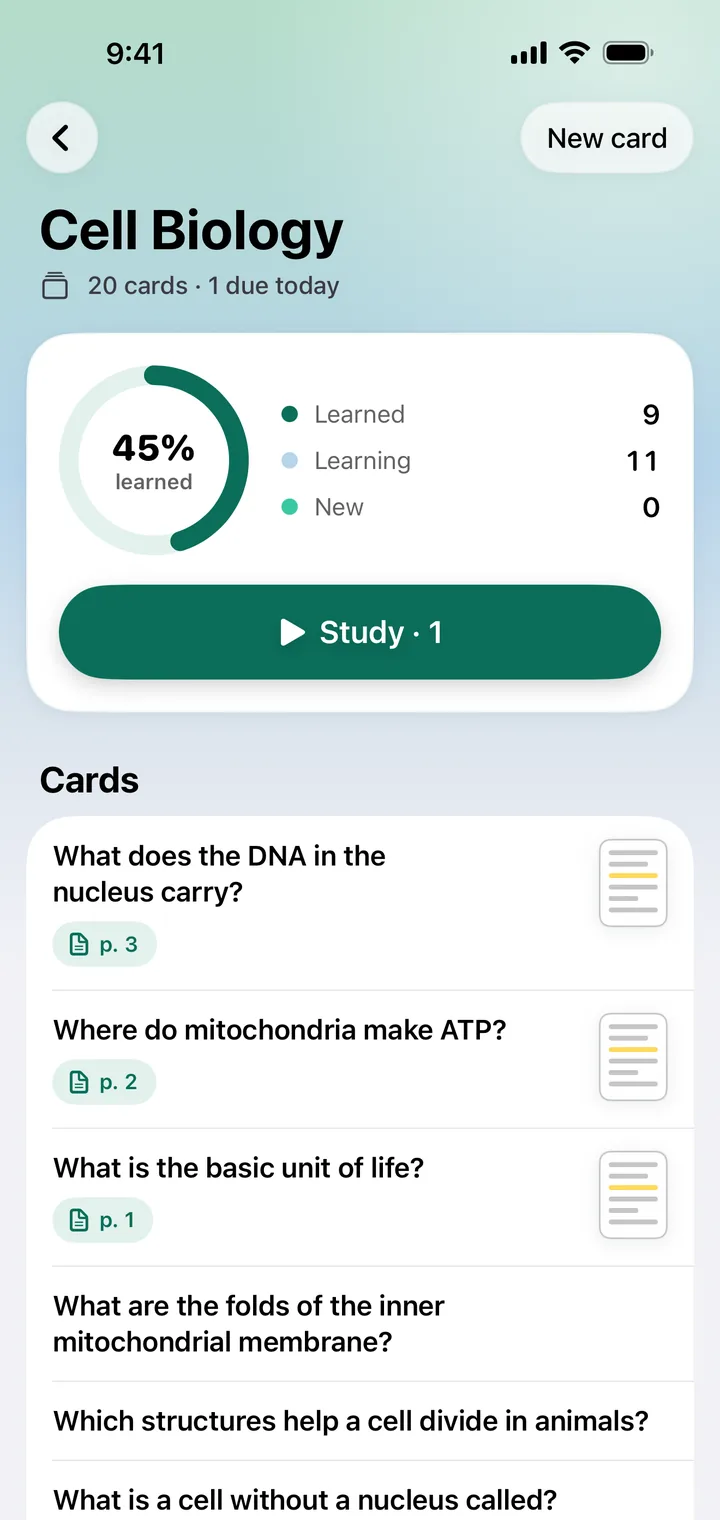
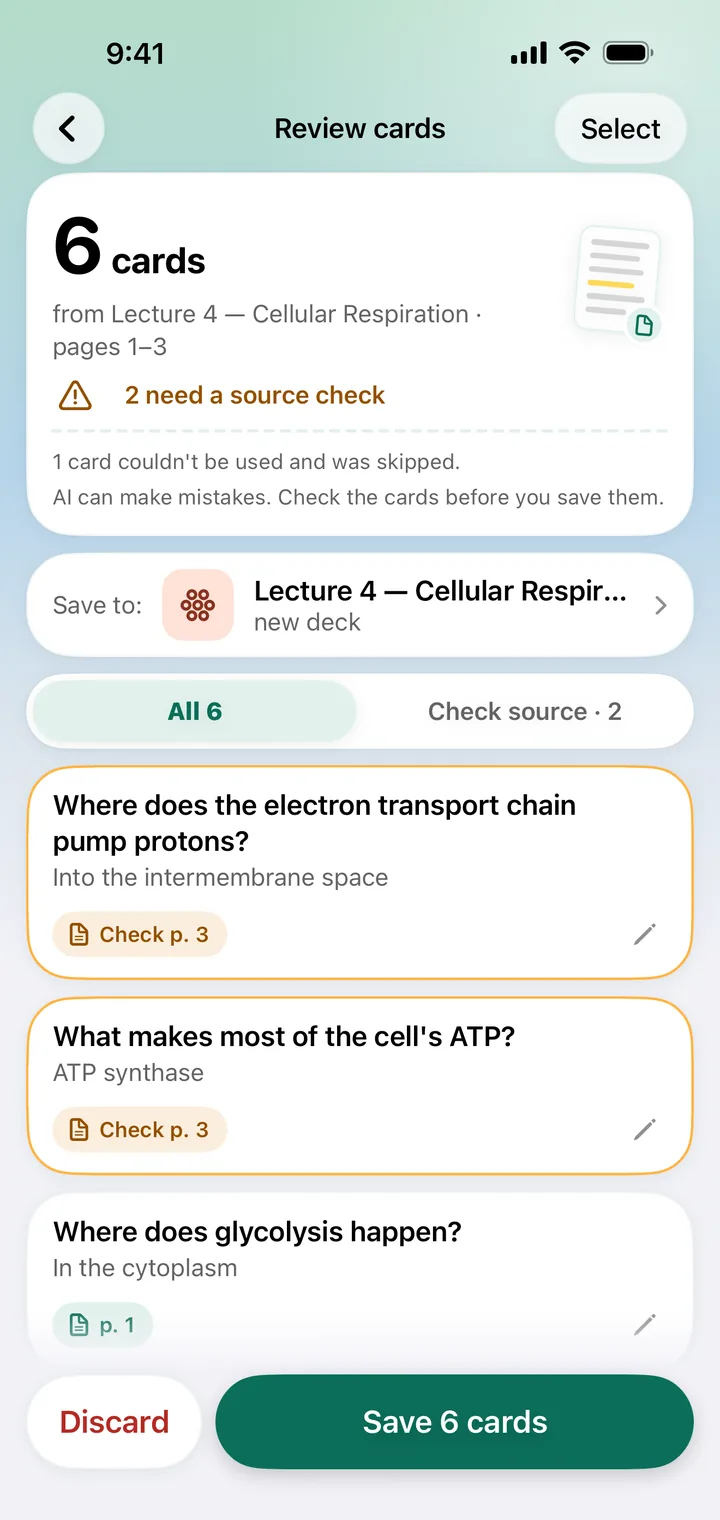
Add a PDF, a photo of a page or pasted text, and AI drafts question-and-answer cards. AI can make mistakes, so you check new cards before saving them. Cards from a PDF or photo link to the page they came from.
Pick a time, and Stickdeck reminds you to review at that time every day.
Widgets for your Home Screen and Lock Screen show the cards due today or a card of the day.
Study and edit without a connection. Making new cards with AI needs the internet.
Decks, cards and progress are kept on your iPhone and, if iCloud is on, in your own private iCloud, so they come back on a new iPhone with the same Apple Account.
Choose a starter deck to try your first review.
Open the app and pick a deck. There’s no account to create.
It decides when you review each flashcard. Instead of going through a whole deck every time, you see a card again when you're about to forget it, based on how you rated it before. Stickdeck does this on your iPhone and shows what's due each day on the Today screen.
FSRS. Each time you rate a card Again, Hard, Good or Easy, Stickdeck uses FSRS to work out when you should see it next. Reviews due today wait on the Today screen.
Yes. Each card shows the question alone, so you answer from memory before you see the answer. Then you rate how it went, and that rating sets the next review.
Yes. Stickdeck imports a deck file (.apkg) from another flashcard app, fill-in-the-blank cards and pictures included, and questions and answers from a CSV file or plain text. You can also write cards by hand, with images.
No. You can start with a starter deck or import a deck. You can also let AI draft cards from a PDF, a photo of a page or pasted text: the app asks before your first AI cards and sends nothing until you agree. AI can make mistakes, so you check each new card before it joins your reviews.
Set an exam date for a deck. Progress shows how ready the deck is and counts down as the exam gets closer.
No. Stickdeck has no sign-up. With iCloud on, your decks and review history are kept in your own private iCloud, so they come back when you reinstall the app or move to a new iPhone with the same Apple Account.
Yes. Stickdeck is a spaced repetition app for iPhone with iOS 18 or later. You can't use it on the web, a Mac, an iPad or Android.
Studying from a PDF? See how Stickdeck turns its pages into flashcards, each linked to its page.
For iPhone with iOS 18 or later. No account needed.